Getting started
Set up your family, add your kids, and run the first school day.
Create your family
One account covers your whole family. The parent owns the login; kids never need their own passwords. Sign up at rez0srascals.com: it takes about 3 minutes and starts a 14-day free trial ($0 due today, cancel anytime).
During setup you'll add each kid with a name, a grade, a favorite color, and a few interests. Their favorite color becomes the personal Rascal that greets them on the dashboard. Selected school days show a checkmark as well as a yellow fill, so you never have to guess which days are on. You can add or remove kids later from the parent console.
The kid's home screen
When a kid opens the app, they land here:
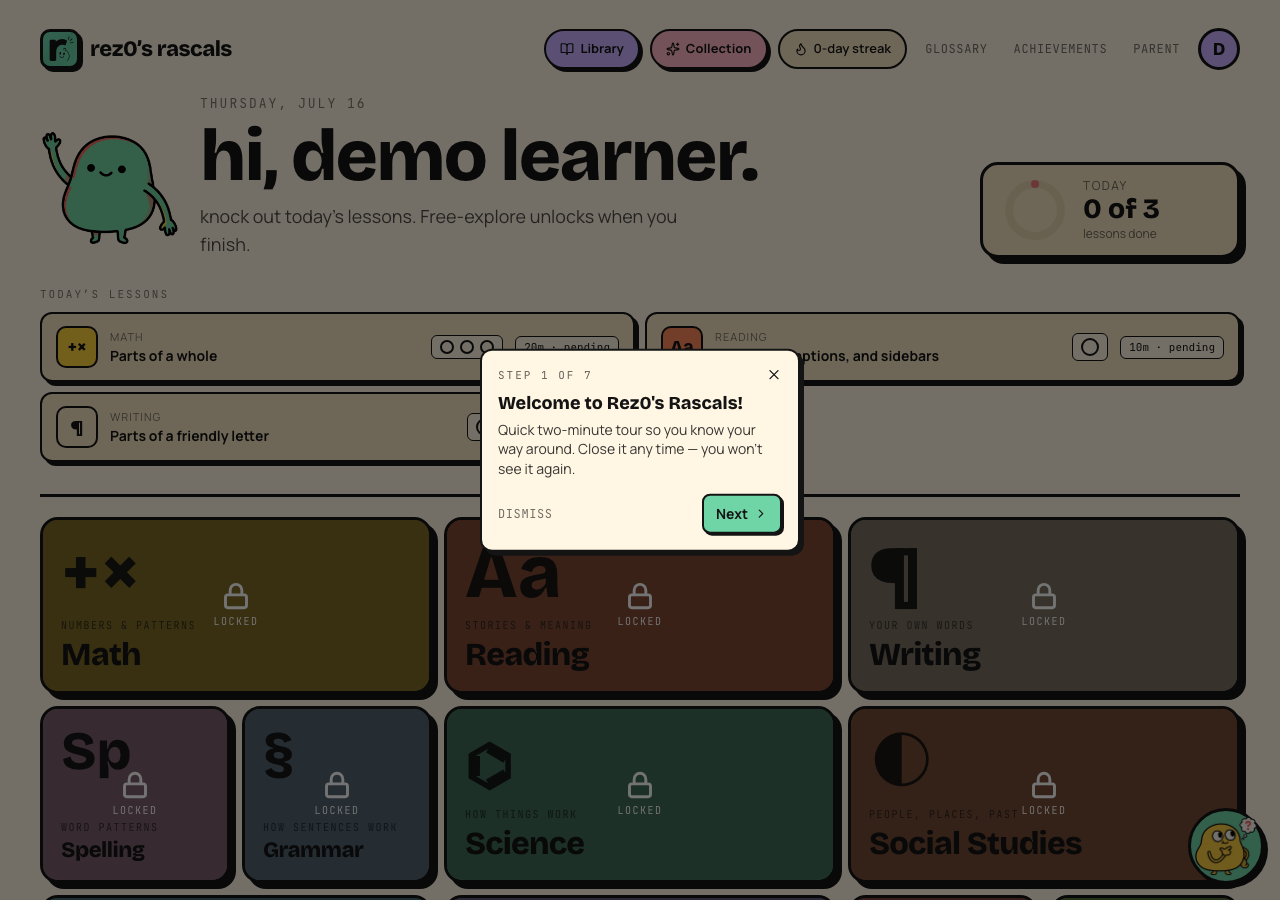 Today's lessons at the top, the subject grid below.
- Today's lessons is the day's queue. A start here flag marks the next lesson, the time chip estimates what remains, and the ring fills as they finish.
- The subject grid shows every subject. In guided mode (the default) it unlocks after the day's queue is done, so the required work happens first.
- Finishing the whole queue triggers a little celebration and earns a Rascal card pack.
- The purple Library pill opens illustrated stories, and the pink Collection pill opens earned Rascal Cards.
On a phone, tap the mint Menu pill in the header for Glossary, Achievements, and the Parent console. Wider screens show those links directly.
Your first day, in order
- Sign up and add your kids.
- Run the placement quick-check for math and reading (about 5 minutes per subject). This puts each kid at the right level per subject. See Placement.
- Hand the tablet over. The daily queue does the rest.
- That evening, peek at the parent console to see what happened.
Tip: kids don't log in. You log in once on their device, then use the Lock & hand back button in the parent header so they can't wander into your settings.